Free Scavenger Hunt App: GooseChase & Actionbound Alternatives
Compare free scavenger hunt apps, Actionbound and Goosechase alternatives. See real browser play, plan limits and a three-task example you can build.
Looking for an Actionbound alternative or a free scavenger hunt app? Choose by how your guests will join, what you need to create, and the licence or participant limits. Scavenge is a browser option for making and playing hunts without an app installation. Actionbound and Goosechase have useful free options too, but their conditions differ.
This comparison is published by Scavenge. Product details below were checked against the linked official pages on 8 October 2026; check those pages before planning an event.
Actionbound alternatives: when browser play helps
Actionbound is free for private, non-commercial use; education and business use have separate licences. Its app supports preloading Bounds for later offline play. Scavenge is an alternative when avoiding installation matters more than offline play. Do not assume that an educational event qualifies as personal use.
Sources: Actionbound licensing and preloading Bounds.
Check the licence before the route: Actionbound’s EDU and PRO trials last 14 days and are for testing; Bounds cannot be put online during the trial. Offline play also needs preparation: download the Bound with a connection first and reconnect to upload results. Linked websites and embedded videos are not preloaded. A free private-use account, an institutional trial and an offline-ready event are different arrangements. Source checked 12 October 2026: Actionbound FAQ.
Count completed person-plays, not shared phones
For an Actionbound licence, a “Bound player” means each person who plays a Bound, including people playing together. Eight people completing two Bounds count as 16 Bound players, even if they share phones. Credits are deducted when they end the Bound. Check the appropriate EDU or PRO allowance before budgeting; a device count is not the same unit.
Source checked 13 October 2026: Actionbound FAQ: what is a Bound player? This is a worked counting example, not a quoted licence price, a competing-product event test or a Scavenge.rs capacity benchmark.
Goosechase alternatives: check the free participant limit
Goosechase’s current pricing page says its free plan allows up to three participants, one live Experience and a duration of up to 24 hours. Larger or longer events need an appropriate plan. Creators build in web Studio; players can join through a browser or the native app, including guest play through an invite link. Scavenge is worth trying if you want guest creation and browser play; test the exact clue types and join flow you need rather than comparing an assumed team limit.
Source: Goosechase Experience creation and free limits.
Check Goosechase’s current plan limits and browser and guest participation. Browser play is available in both products; it is not an exclusive Scavenge feature.
Compare the practical tradeoffs
| Product | Free-use conditions and paid boundary | Participant access | Tasks and setup to check |
|---|---|---|---|
| Scavenge.rs | Free creation; paid catalogue hunts and Date Hunt are separate. No numerical capacity benchmark is claimed here. | Browser; guest play and guest creation. Keep the creator browser or link an account. | Text, photo, information, choices, polls, GPS and QR. Pilot permissions and review rules; internet required. |
| Actionbound | Private, non-commercial use is free. Education and organizational use need an appropriate licence; an EDU/PRO trial is testing only. | Players install the app. Preload supported content for offline play; reconnect to send results. | Check the Bound’s tasks, media and device permissions. External websites/videos are not preloaded. |
| Goosechase | Free: 3 participants, 1 live Experience, up to 24 hours. Larger/longer events need a suitable tier; education pricing differs. | Browser or native app; guest participation available. | Plan Missions and content review in web Studio; test the invite method and participant count. |
| PlayTours | Free: 25 concurrent devices, watermark, commercial use allowed. Paid plans are monthly USD; $35 removes the watermark for 5 concurrent/20 total monthly devices. $79 supports 60 concurrent/100 total. | Browser; guests can join without an account. Organizer account required to save/run the game. | Quizzes, codes, photos and QR tasks. Count active phones, not people; two people sharing a phone count once. |
| ClueRally | Free trial: up to 3 teams, unlimited players per team. Paid: $50 one-time hunt or $45/month; the checked page does not specify the dollar currency. Verify promotional prices before buying. | Browser; players enter an event code without signup. Host-code setup needs no email. | Text, number, multiple-choice, photo/video challenges. Check team setup and media scoring; paid limits differ from trial limits. |
Table sources: Actionbound licences and offline/trial rules; Goosechase plans and joining; PlayTours pricing and guest access and task formats; ClueRally plans and host and player setup. Scavenge.rs details use the internal product evidence below. We did not run a hands-on event on the competing products.
Compare the same unit: three participants, three teams and 25 concurrent devices describe different limits. Write down who shares a phone, when everyone plays and whether the licence covers your organization before choosing. A paid plan can remove branding without increasing capacity; check the exact tier rather than assuming every upgrade means more players.
Choose for your occasion
For teachers: use the classroom reading hunt and printable student sheet for a small supplied-text activity. It works on paper first; browser setup is optional, and no learning outcome or school-device compatibility is promised.
For a family party, write a few clear clues and test the shared link on the phones guests will use. For a school or business event, confirm licensing and supervision requirements first. For a walk with weak connectivity, offline availability may matter more than avoiding installation.
A free tool is useful only if people can finish your activity. Use one consistent answer format, make photo tasks achievable without photographing strangers, and provide a way to contact the organizer. Keep your first route short enough to test in full.
Which app fits your event?
- Choose Scavenge to test a small, self-created activity: you can enter the builder as a guest, make text and photo tasks, then check the participant flow in a browser. You provide the content. Guest personal photo completion does not prove host approval; review content separately or verify an account-based moderation flow. Free creation is separate from paid catalogue hunts and Date Hunt.
- Choose Actionbound when offline preloading matters: its app can preload Bounds, while Scavenge browser play needs a connection. Check an EDU or PRO licence for institutional use.
- Consider Goosechase when its templates and organizer workflow suit you: browser access and guest participation are available there too. Check participant capacity and duration before inviting people.
For a worked group-size decision and a manual switching checklist, use our Goosechase alternatives guide. It explains what to test before moving an existing event.
See the browser hunt before choosing
We created an original three-task hunt in the live Scavenge builder on 8 October 2026, then opened its join code in a separate guest browser. The text task accepts REUSE; the photo task asks for an object with a repeating pattern with automatic photo approval enabled for this scored guest sample; the final task is informational. None requires a GPS location. This is a small product demonstration, not evidence of performance at a large event.
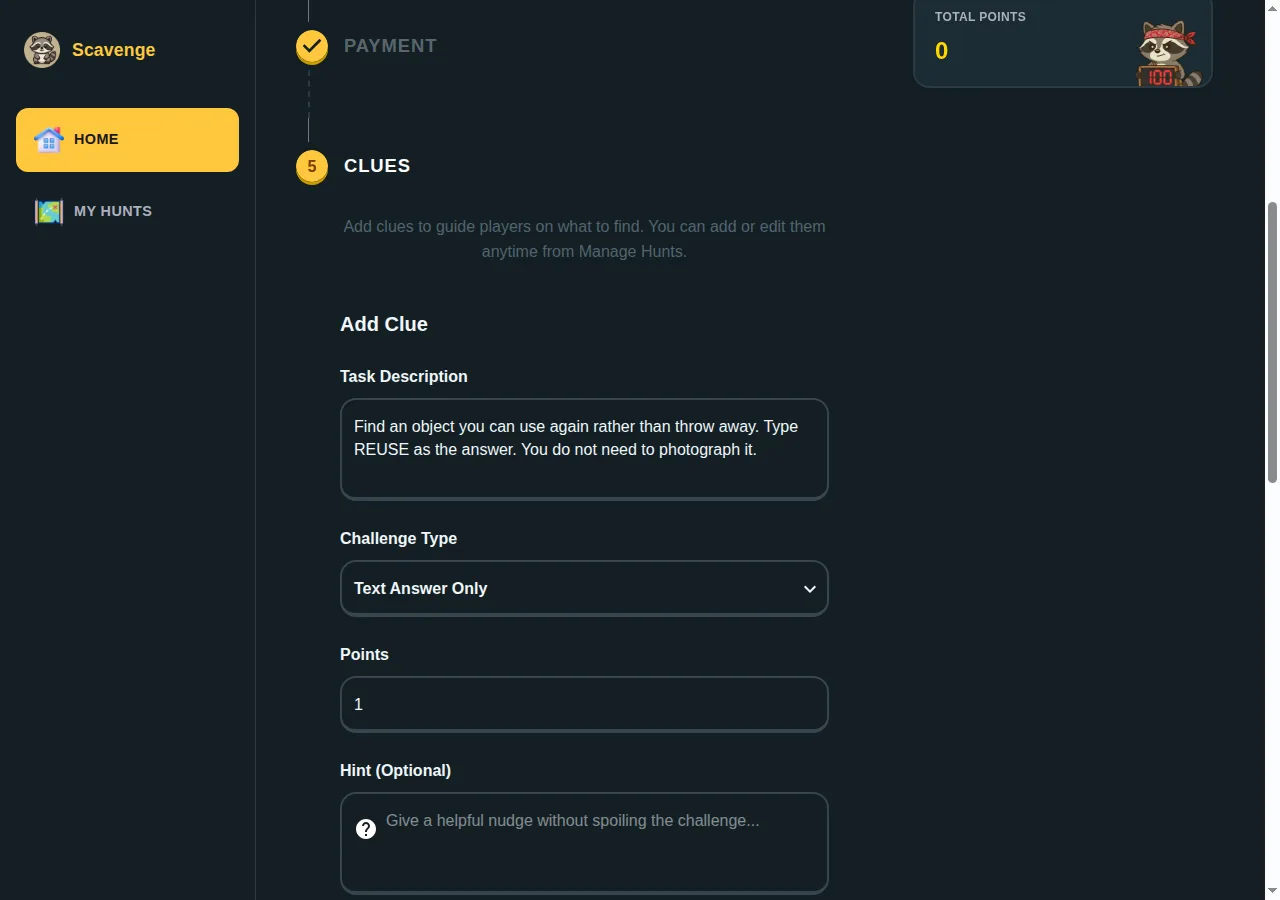
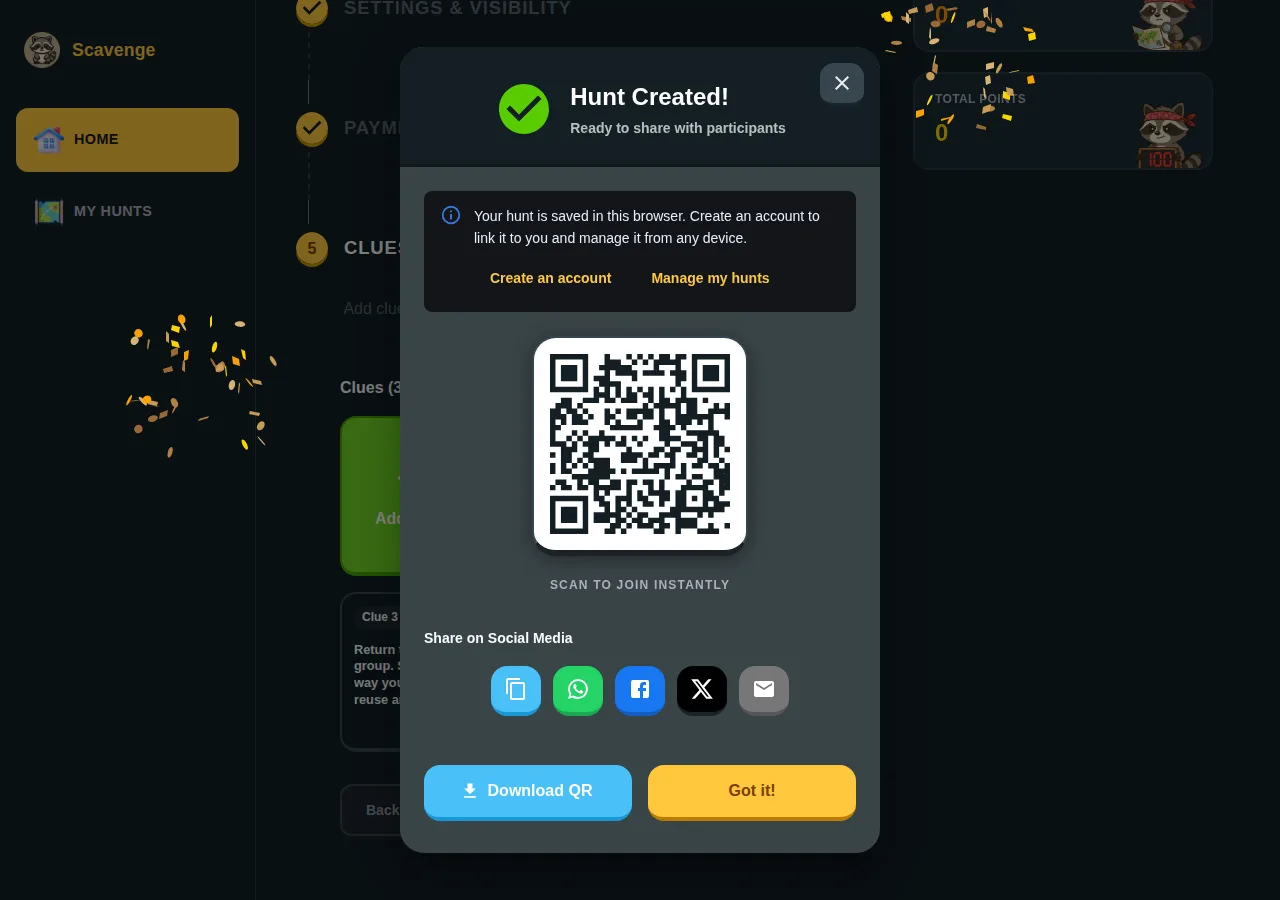
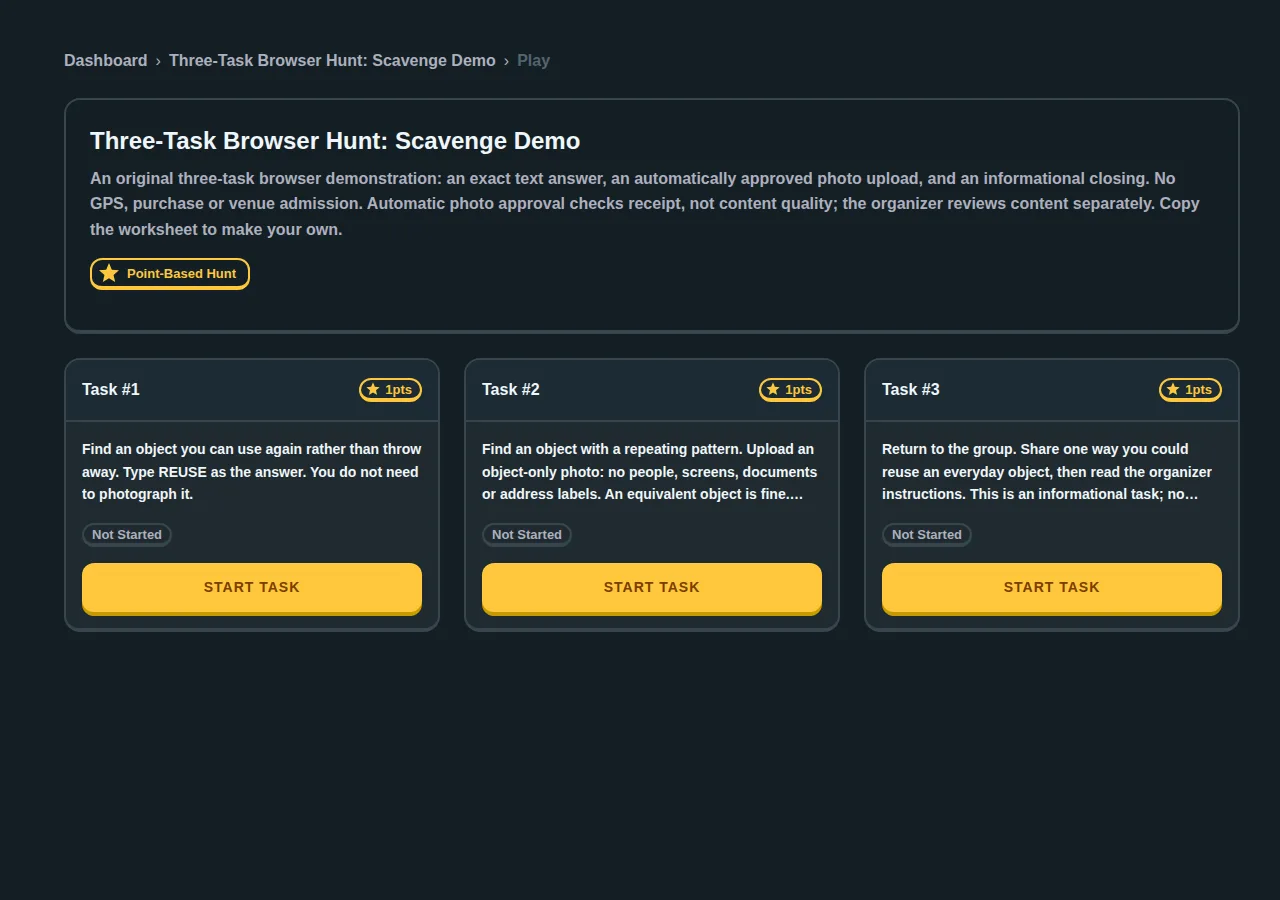
Use the three-task browser hunt worksheet to recreate the tasks for your own group. It includes the answer, points, review settings and participant instructions. Create your hunt directly, or follow the step-by-step creation guide.
Try a browser hunt before inviting your group
- Open the free creation guide, then choose Create my free hunt. Guest creation does not require signup.
- Give your hunt a name and add a short description of the place, occasion and rules. Start with three clues so you can test the whole journey.
- Add a text question with a clear answer, a photo task and an informational stop. For outdoor tasks, check that the location is accessible and that your phone has a connection.
- Publish and share the hunt link or join code. Open it in a separate browser to check what players see; guest players can join without an account.
- Complete your test clues, check any moderation settings, then invite your group. Keep the browser used to create the hunt so you can return to manage it; an optional account lets you link your work.
Prefer to play immediately? Choose a route from our verified free hunt catalogue. An account is needed for leaderboards. Paid hunts retain their listed admission charge, and personalized Date Hunt experiences are a separate paid offering. Browser play needs internet access; we do not promise offline operation.
What should I ask before choosing?
- Will each person use a phone, or will a team share one?
- Does the free or paid licence cover this event?
- Can guests join and return to the hunt easily?
- Who checks submitted answers and photos?
- Is internet access available at every stop?
For remote or organization-run events, see our digital platform comparison. For task ideas, use the clue guide.
What our guest-browser pilot demonstrated
In an internal test on 8 October 2026, we created a private three-task hunt, joined from a separate browser, submitted the exact text answer, uploaded a local image fixture and completed the informational task. The photo task used automatic approval for the scored guest sample. This checks upload receipt, not whether a photograph meets an organizer’s content rules. It was a browser workflow test, not a customer event, a timed setup comparison or a group capacity benchmark.
We also checked the moderation boundary: a guest creator could not open the account submission queue. Guest personal play can mark a photo task complete after upload even when approval and points are still pending. Do not assume a completed task means host approval. If you need manual scoring or prizes, test the intended organizer account and participant workflow, or review photos separately during the activity.
When you need a person to approve photos
Our 10 October 2026 internal pilot used separate signed-in organizer and participant accounts, a private test hunt and automatic photo approval turned off. The participant uploaded a synthetic object-only image through the photo control. The organizer opened the saved hunt’s Answers tab and used Approve Photo. The submission changed from zero to ten approved points; the saved result was checked afterward.
A fresh guest submission with approval off behaved differently: its task was personally complete, with zero approved points, and it did not appear in that organizer account’s review queue. Having an organizer account alone therefore does not supply a manual review path for anonymous players. Use the signed-in participant arrangement when your event depends on the account review queue, and pilot it with your actual task settings.
This was a small owned test with ordinary accounts and synthetic images, not a customer event, a camera-quality check, a signup test or a group-capacity benchmark. For a guest-run activity, the tested simple alternative remains automatic receipt approval plus host discussion of image content. Follow the creation and review walkthrough and record your own outcome in the pilot checklist.