Virtual Scavenger Hunt Platforms: Scavify Alternatives
Compare Scavify alternatives for virtual scavenger hunts. See self-service tradeoffs, a tested Scavenge browser flow and a copyable remote activity.
Scavenge.rs, Goosechase and Actionbound are Scavify alternatives for different event needs. Consider Scavenge.rs for a self-created browser hunt with guest entry, Goosechase for a Mission-based activity with published participant limits, or Actionbound for app-based routes with offline preloading. Scavify also offers browser participation and managed-program options; compare the organizer work, actual plan and participant flow before switching.
Compare Scavify alternatives by event needs
This comparison is published by Scavenge.rs. Official sources were checked on 13 October 2026. Our Scavenge.rs workflow evidence appears below; we have not run a comparative event on the other products.
| Platform | Consider it for | Participant access | Cost and organizer responsibility |
|---|---|---|---|
| Scavenge.rs | A self-created text, photo and informational hunt; remote tasks can avoid GPS. | Browser; guest creation and guest play. | Basic creation is free. You write and rehearse the activity. Paid catalogue hunts and Date Hunt are separate; guest photo receipt and approved points have different rules. |
| Goosechase | A Mission-based group activity; compare its current plan with your event size. | Browser or native app; guest entry through an invite link. | Free plan:3participants,1live Experience,up to24hours. Larger/longer events require an appropriate paid plan. Most creators write and run their own Missions. |
| Actionbound | An app-based route where preloaded offline content matters. | Install the app; connect to download first and upload results afterward. | Private use is free; education and organizational use need a licence. Offline preloading excludes linked websites and embedded online videos. |
| Scavify | Compare its DIY, full-service or ready-to-go program with your staffing needs. | Native apps and browser participation, according to Scavify. | Pricing enquiries depend on the program. A free start/trial does not establish a free live event. Confirm who builds the content and what support is included. |
Official sources: Goosechase plans and creator responsibilities, browser and guest joining, Actionbound licensing and offline rules, Scavify program choices and Scavify’s own browser-access statement. Check each provider’s current terms for your actual event.
Create a free Scavenge.rs browser hunt, or inspect the tested three-task settings first. Use text or informational tasks when a remote participant cannot upload a photo; rehearse the scoring arrangement before awarding prizes.
Scavify access and program options
Scavify offers a website builder, app-based challenges and an admin dashboard. Its official pricing page describes DIY, full-service and ready-to-go programmes, with pricing enquiries organized by use case. It also offers a free start or trial; do not treat that as a promise that a large live event is free.
Scavenge is an alternative to test when your group wants browser play and a self-created hunt. It supports text, photo and location-based tasks, with guest creation and guest play. It is not a promise of feature parity with Scavify's managed programmes.
Checked 8 October 2026: Scavify's workflow and programmes and pricing. This article is published by Scavenge.
When a self-service Scavify alternative makes sense
For a small remote group, compare the amount of organizer work before comparing a feature list. Scavenge lets you write your own activity and try guest creation; you are responsible for instructions, testing and moderation. If you need a managed programme, contracted support, branding or a larger rollout, ask the provider for a demonstration and written scope.
Scavify’s own product comparison describes browser participation as well as native apps. Browser access alone does not distinguish Scavenge from Scavify. Our trial below shows the Scavenge side; we have not run a comparative Scavify field test.
Questions that change the decision
| Need | What to check |
|---|---|
| Remote participation | Use tasks people can finish at home, and test uploading on their actual devices. |
| Outdoor route | Check mobile coverage, starting point, location permissions and accessible stops. |
| Managed event | Ask who writes the content, runs the event and provides support. |
| Branding and reports | Inspect a demonstration of the exact plan; do not infer availability from another tier. |
| Payment | Confirm participant counts, licences and what the quoted price includes. |
A three-task remote trial
Use the copyable three-task worksheet to reproduce the settings in our small browser pilot. No GPS is needed for these tasks. Set your own proposed duration and use your meeting channel for reminders and discussion.
- Exact text answer: use the worksheet’s REUSE answer and test the exact value. An automatic exact-answer task is not a promise to accept every sensible phrase.
- Object-only photo: photograph a repeating pattern without documents, screens or people. The worksheet uses automatic approval for receipt; the host discusses whether the image fits the prompt.
- Informational finish: read the closing instruction, mark the task complete and return to the agreed meeting channel.
Offer a spoken or written alternative if an upload is unsuitable. Check guest/account photo behavior below before choosing prizes or manual review. For people joining from both a room and home, use the mixed-location planning brief.
Try a browser hunt before inviting your group
- Open the free creation guide, then choose Create my free hunt. Guest creation does not require signup.
- Give your hunt a name and add a short description of the place, occasion and rules. Start with three clues so you can test the whole journey.
- Add a text question with a clear answer, a photo task and an informational stop. For outdoor tasks, check that the location is accessible and that your phone has a connection.
- Publish and share the hunt link or join code. Open it in a separate browser to check what players see; guest players can join without an account.
- Complete your test clues, check any moderation settings, then invite your group. Keep the browser used to create the hunt so you can return to manage it; an optional account lets you link your work.
Prefer to play immediately? Choose a route from our verified free hunt catalogue. An account is needed for leaderboards. Paid hunts retain their listed admission charge, and personalized Date Hunt experiences are a separate paid offering. Browser play needs internet access; we do not promise offline operation.
See the browser hunt before choosing
We created an original three-task hunt in the live Scavenge builder on 8 October 2026, then opened its join code in a separate guest browser. The text task accepts REUSE; the photo task asks for an object with a repeating pattern with automatic photo approval enabled for this scored guest sample; the final task is informational. None requires a GPS location. This is a small product demonstration, not evidence of performance at a large event.
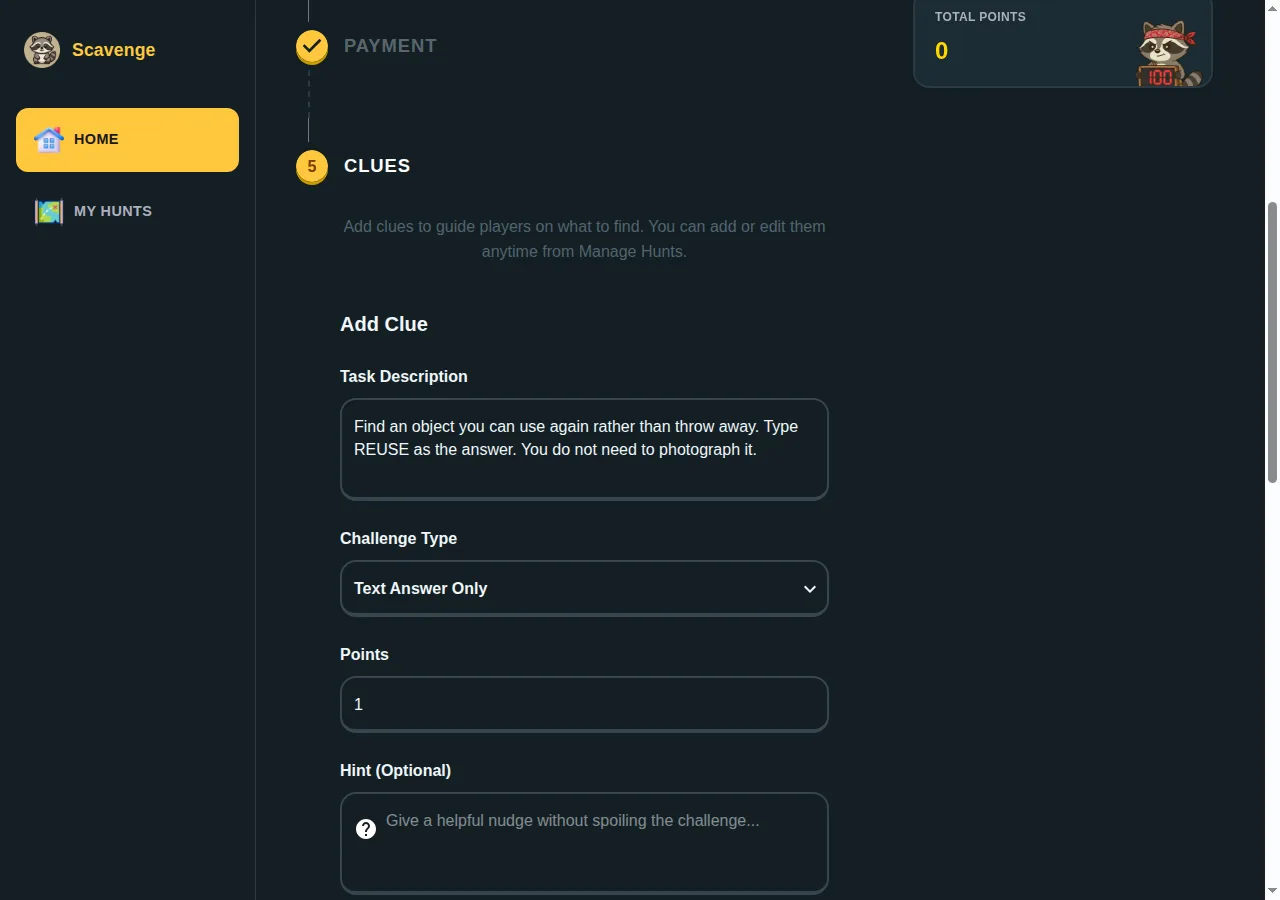
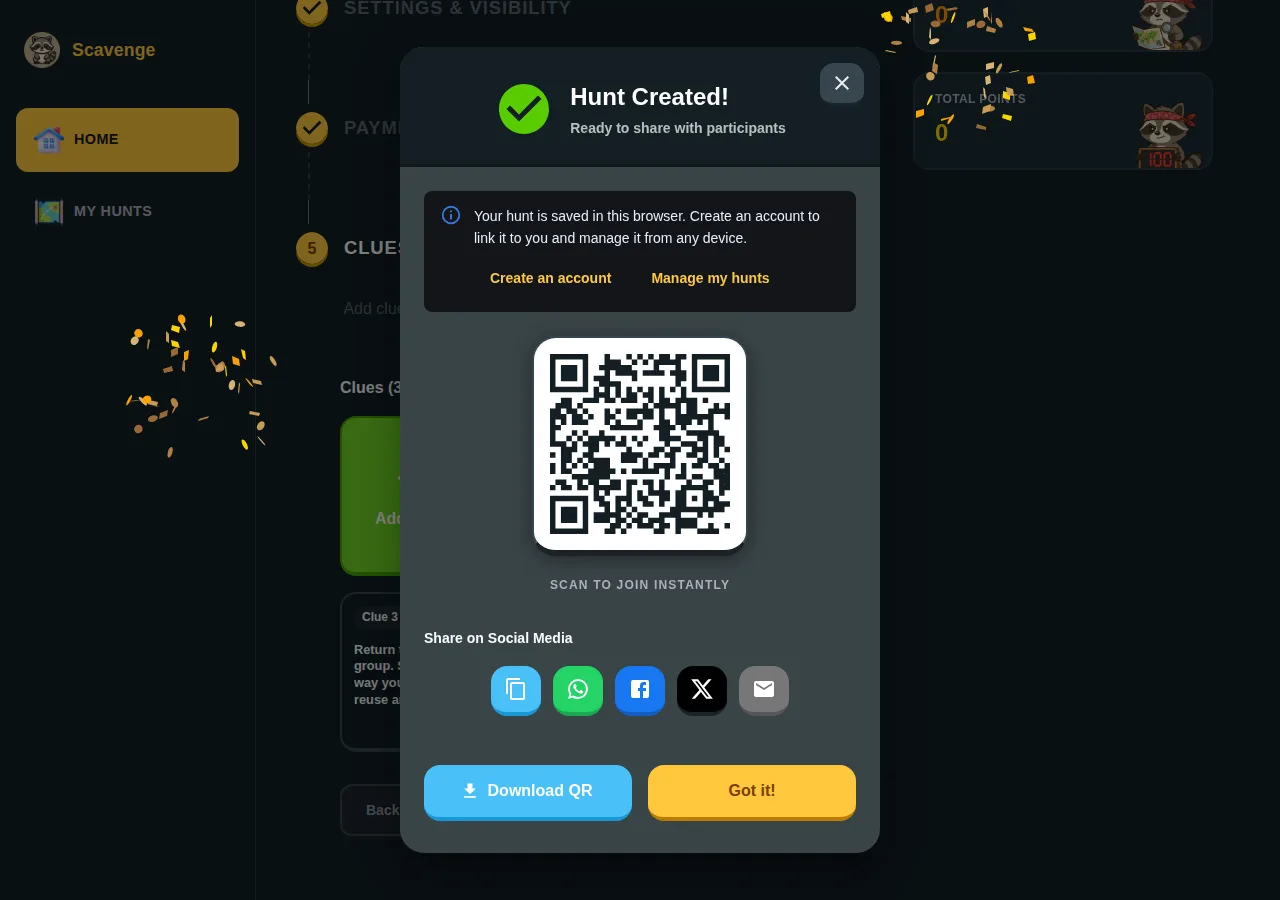
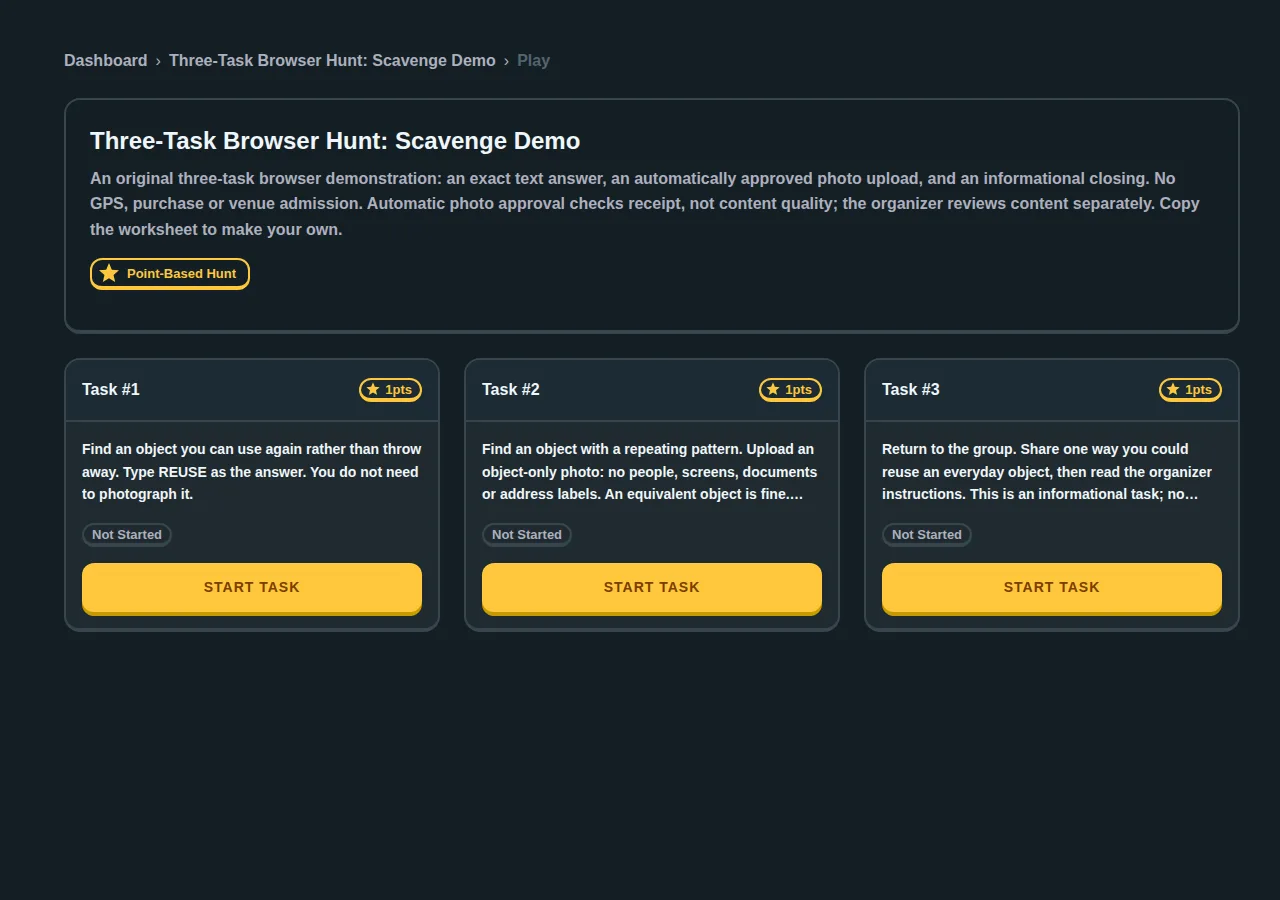
Use the three-task browser hunt worksheet to recreate the tasks for your own group. It includes the answer, points, review settings and participant instructions. Create your hunt directly, or follow the step-by-step creation guide.
A remote event decision you can actually test
For a meeting with eight colleagues, plan one short activity and test it with two people before rollout. Ask a participant to join from a separate browser, submit a text answer and locate the photo-upload control. Check whether approval and points are separate from the displayed personal-play completion. Do not assume a guest creator can open the account review queue. A video call can provide the spoken debrief; do not assume the hunt platform supplies that call.
Write down whether joining required help, whether the task was understandable, whether the upload was received and the intended scoring rule worked and whether you could return to manage the hunt. These observable checks are more useful than an unsupported claim that every virtual platform is equivalent. The eight-person example is a planning scenario, not a measured capacity or timing result.
Other options
If preloaded offline routes or Actionbound licensing suit your event, check that product directly. If you are considering Goosechase, confirm the current free Experience limit and your participant plan. Our free-app comparison explains those distinctions.
For a ready-to-run office activity, use our holiday office hunt plan. Keep paid Date Hunt purchases separate from free group creation when budgeting.
What our guest and account photo tests established
Our small 8 October 2026 guest-browser pilot completed an exact text answer, a photo upload and an informational finish. The photo used automatic receipt approval. On 10 October we also used separate ordinary signed-in organizer and participant accounts, with automatic photo approval off. The participant uploaded an object-only test image through the photo control; the organizer opened the saved hunt’s Answers tab and selected Approve Photo. The submission changed from zero to ten approved points and the saved result was checked.
| Arrangement | What we observed | Event implication |
|---|---|---|
| Guest, automatic approval on | Upload receipt completed the photo task and awarded the configured points. | Discuss image content separately; receipt approval is not a content check. |
| Guest, automatic approval off | Personally complete after upload, zero approved points; absent from the organizer account’s pending review queue. | An organizer account alone does not make anonymous photos reviewable in that queue. |
| Separate signed-in organizer and participant, automatic approval off | Photo appeared for account review and received ten points after Approve Photo. | Pilot the signed-in participant arrangement if the event depends on that queue or manual prizes. |
These are owned browser/API tests with synthetic images, not independent endorsements, customer events, signup tests, camera-quality tests or group-capacity benchmarks. We did not run the same field test in every competing product. Ask each shortlisted provider to demonstrate your actual participant and review arrangement.
Record joining, upload, approval and finish outcomes in the pilot checklist. Use the three-task worksheet for the tested guest settings, or follow the creation walkthrough before building your own sample.