Scavenge: free browser scavenger hunt creator
Scavenge is a browser-based scavenger hunt creator with guest creation and participation. Organizers can build text, photo and informational tasks, as well as location and QR challenges. Basic creation is free; paid catalogue hunts and personalized Date Hunt experiences are separate. This is the product at scavenge.rs.
Create your free hunt · Copy a three-task sample · Choose a free hunt
What you can do with Scavenge
| Question | Answer |
|---|---|
| Do organizers need an account? | Guest creation is available. Keep the creator browser and its storage; linking an account is optional for retaining your work across account sessions. |
| Do players need an app? | No required download. Participants can join and play in a browser as guests. |
| What is free? | Basic hunt creation and selected free hunts. Check admission on each catalogue hunt; Date Hunt is separately paid. |
| How are submissions checked? | An exact text answer can be checked automatically. Guest personal play can mark a photo task complete after upload. Photo points require approval; enabling automatic approval awards them on receipt, not after a check of the image against your rules. Do not assume guest submissions have a host review queue. Test the intended account, participant and approval workflow before relying on manual moderation. |
| Does it work offline? | Scavenge requires an internet connection. Keep a separate paper or verbal fallback for the activity. |
| Can one device represent a group? | A group can cooperate using one browser. This is a facilitation choice, not a promise of automatic team scoring or a tested capacity limit. |
See the creator and participant views
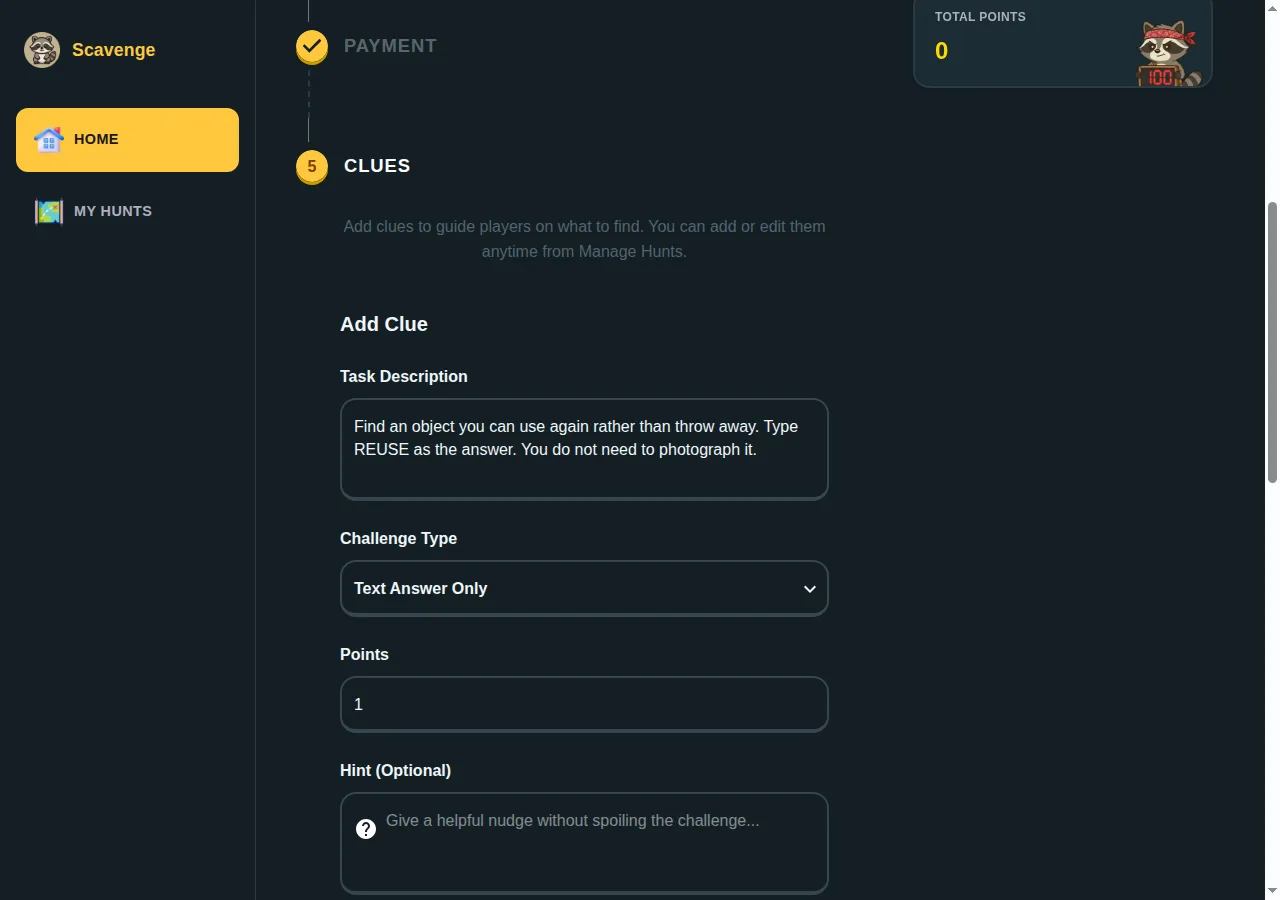
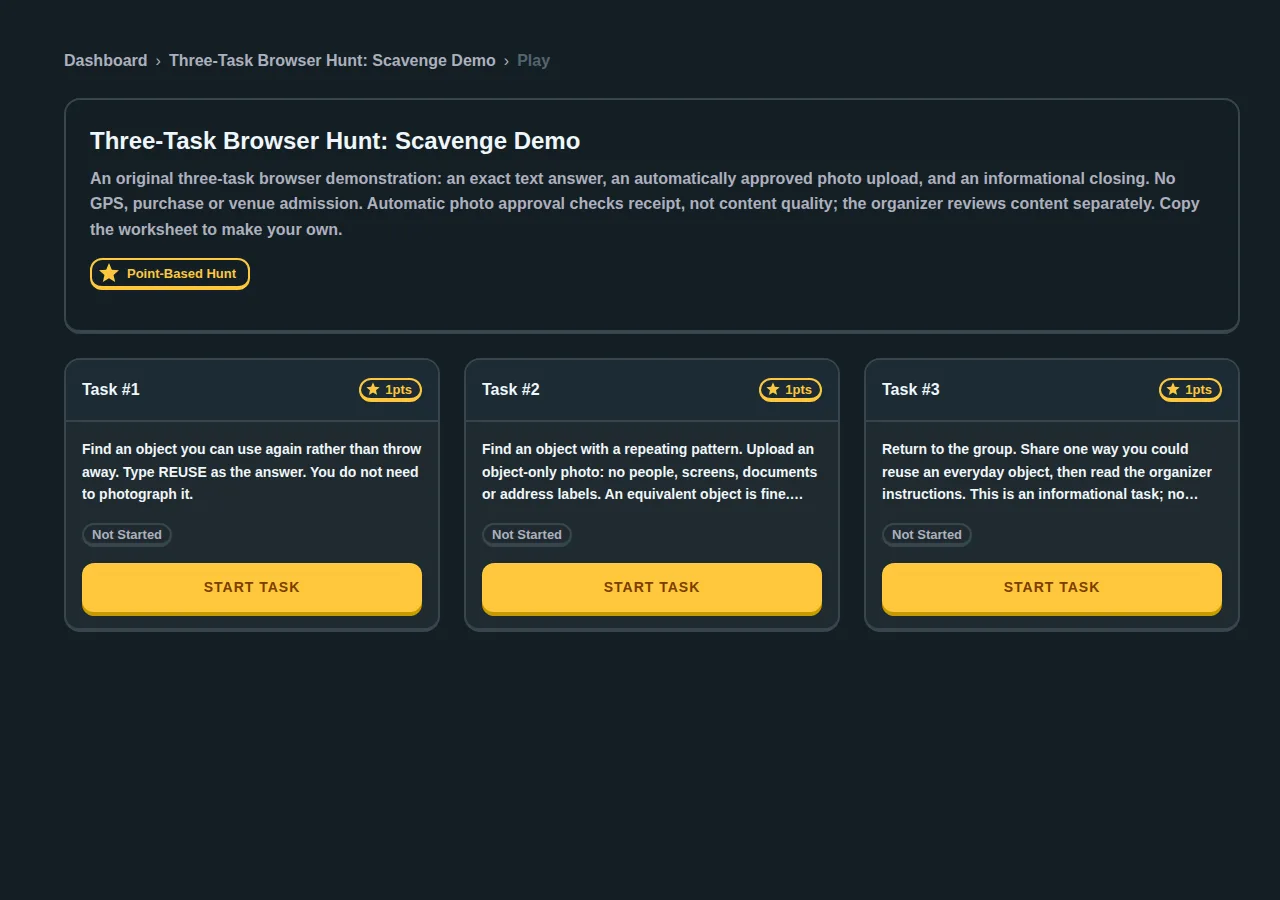
Use the worksheet to enter your own tasks. There is no automatic import or one-click cloning promised by this sample.
What our guest-browser pilot demonstrated
In an internal test on 8 October 2026, we created a private three-task hunt, joined from a separate browser, submitted the exact text answer, uploaded a local image fixture and completed the informational task. The photo task used automatic approval for the scored guest sample. This checks upload receipt, not whether a photograph meets an organizer’s content rules. It was a browser workflow test, not a customer event, a timed setup comparison or a group capacity benchmark.
We also checked the moderation boundary: a guest creator could not open the account submission queue. Guest personal play can mark a photo task complete after upload even when approval and points are still pending. Do not assume a completed task means host approval. If you need manual scoring or prizes, test the intended organizer account and participant workflow, or review photos separately during the activity.
When you need a person to approve photos
Our 10 October 2026 internal pilot used separate signed-in organizer and participant accounts, a private test hunt and automatic photo approval turned off. The participant uploaded a synthetic object-only image through the photo control. The organizer opened the saved hunt’s Answers tab and used Approve Photo. The submission changed from zero to ten approved points; the saved result was checked afterward.
A fresh guest submission with approval off behaved differently: its task was personally complete, with zero approved points, and it did not appear in that organizer account’s review queue. Having an organizer account alone therefore does not supply a manual review path for anonymous players. Use the signed-in participant arrangement when your event depends on the account review queue, and pilot it with your actual task settings.
This was a small owned test with ordinary accounts and synthetic images, not a customer event, a camera-quality check, a signup test or a group-capacity benchmark. For a guest-run activity, the tested simple alternative remains automatic receipt approval plus host discussion of image content. Follow the creation and review walkthrough and record your own outcome in the pilot checklist.
Compare Scavenge, Actionbound, Goosechase and Scavify
Checked 8 October 2026 against each vendor’s own documentation. Free participation and free event hosting are different questions: confirm your event’s group size, duration and licence before buying.
| Tool | How players join | Free and paid use | Useful distinction |
|---|---|---|---|
| Scavenge.rs | Phone browser; shared link or QR, without installing an app. Accounts are optional for shared hunts. | Basic hunt creation and free-hunt play are free. A creator can sell paid admission. Date Hunt is a separate paid product, normally $29; check its checkout. | Build your own text, photo, GPS or QR challenges, or choose an existing public hunt. |
| Actionbound | Install the iOS or Android app. Preload a Bound before going offline; reconnect to upload results. External web content is not preloaded. | Private use is free. Educational institutions, businesses and organizations need the appropriate paid licence. | Consider it when a route must work after its content has been downloaded. |
| Goosechase | Browser or mobile app; guests can join by link, code or QR. | Free: three participants, one active Experience, up to 24 hours. The listed 10-participant single event costs $99 USD and runs for up to 30 days. | Count participants/devices rather than assuming a team shares one paid place. |
| Scavify | The vendor describes native-app and browser participation; confirm which access method your programme uses. | Start building for free; programme pricing is requested by use case. Do not assume the free builder covers your full live event. | DIY, professionally designed and ready-made programmes. Documented tasks include photos, GPS, questions and QR codes. |
Scavify also describes its browser participation. For its participant instructions, see completing tasks. Goosechase also documents browser access and guest participation. Prices and plan limits can change; use those official pages for a purchase decision.
Which app fits your event?
- A small custom hunt without an installation: try Scavenge’s browser builder and run a two-clue rehearsal. Goosechase also supports browser participation; compare its participant limit with your actual group.
- A route with unreliable reception: Actionbound documents preloaded offline play. Scavenge requires a connection; choose a connected route or bring a separate paper fallback.
- A larger organized programme: compare programme support, participant capacity and the quoted price from Goosechase or Scavify. Ask who builds the tasks and who handles event-day issues.
- A ready-made city outing: choose a specific playable hunt at the city directory. Check its location and admission; a city listing alone is not a route.
Choose tasks that match your setting
- Text and multiple choice: use a clearly worded question with a checked answer. Try common spelling and spacing variations before the event.
- Photo tasks: say what must be visible in the photo. Decide who reviews submissions and avoid requiring photos of strangers.
- GPS tasks: place the checkpoint in an accessible public area. Allow location permission on the phone and test reception on the route.
- QR tasks: place a readable code where you have permission. Test it on a second phone and provide a written fallback if scanning fails.
- Polls and opinion tasks: use them for discussion or a debrief rather than a puzzle with one correct answer.
The builder supports twelve clue variants, including combinations of text and photos. A list of features does not prove that a particular event is ready: read the builder instructions, run a short rehearsal, and check the planned route.
What is free, and what can cost money?
Scavenge’s basic builder and free hunts are free to use. The hunt’s detail page states whether admission is paid: opening a browser link does not make a paid hunt free. Creators who charge admission need payment setup. Date Hunt for couples is separate from the basic builder and normally displays $29; confirm the amount shown at checkout.
Guest play does not require registration. An optional account can keep your hunt history and connect you to account features. Keep using the same browser for a guest session; do not clear its storage during the outing. For a group event, test the exact link and first task on a participant’s phone before sharing it.
Build a short test before committing
- Open Create, name the hunt and describe the meeting point and finish.
- Add two representative tasks: one easy text answer and the photo, QR or GPS mechanic your event needs.
- Check visibility, scoring and submission review. Save the hunt and open its shared link on a second phone.
- Read the instructions as a participant, test any permissions and check that the first task can be completed.
- Then add the remaining tasks and share the tested link. Keep an organizer’s copy of answers and the fallback instructions.
Choosing a platform? Read our free-app and Actionbound comparison or Goosechase switching guide.
Want sample content? Use clue ideas or the ready-to-run office hunt. An AI draft is a starting point: check every answer and location yourself.
Frequently asked questions
Do I need to download the Scavenge app?
No. Scavenge runs in a browser. Open a shared hunt link on your phone; there is no required App Store or Google Play installation.
Is Scavenge free?
Basic creation and free-hunt play are free. Some creators charge admission, and Date Hunt is a separate paid product. Check the hunt detail page and checkout for the actual price.
Can players join without an account?
Yes. Shared hunts support guest play. Payment and scheduling requirements still apply, and an account is optional for saved history and account features.
Reviewed 8 October 2026. Product FAQ · Builder documentation