Three-task browser hunt worksheet
Copy these tasks for a small office, community or remote activity. You write the hunt and facilitate it; the worksheet gives you a starting point.
Create your hunt · Download the text worksheet · Use your browser’s print command for a paper copy.
Organizer setup
Choose a point-based hunt in the guest creator. Use private visibility for your group, with no GPS stops, booking or payment for this sample. Keep your guest creator browser or link an account before clearing storage.
Task 1: text
Find an object you can use again rather than throw away. Type REUSE as the answer. You do not need to photograph it.
Type: text; points: 1; automatic text checking: on; automatic photo approval: off.
Expected answer: REUSE
Task 2: photo
Find an object with a repeating pattern. Upload an object-only photo: no people, screens, documents or address labels. An equivalent object is fine. Automatic photo approval awards the point on receipt; the organizer checks content separately.
Type: photo; points: 1; automatic text checking: off; automatic photo approval: on.
Task 3: informational
Return to the group. Share one way you could reuse an everyday object, then read the organizer instructions. This is an informational task; no answer or photo is required.
Type: informational; points: 1; automatic text checking: off; automatic photo approval: off.
Host checklist and suggested agenda
Before the event: test the join code in another browser, submit REUSE and check that the photo control is reachable. Test a real photo and host approval on the devices you will use before inviting the whole group. Offer an equivalent object and a verbal alternative. Do not include people, screens, confidential documents or address labels in photos. Have internet access and a host available to discuss photo content separately. Guest personal task completion does not prove approval; do not assume a guest submission review queue exists. A shared device is a simple group arrangement; it is not a promise of automatic team scoring.
Suggested planning agenda (not a measured duration): 5 minutes for introduction and joining, 10 minutes for tasks, 5 minutes for review and discussion. A remote host can read the closing instructions aloud on the group call.
Creation is free; paid catalogue hunts and Date Hunt are separate. This worksheet requires manual entry, not one-click cloning or automatic import.
See the actual participant view
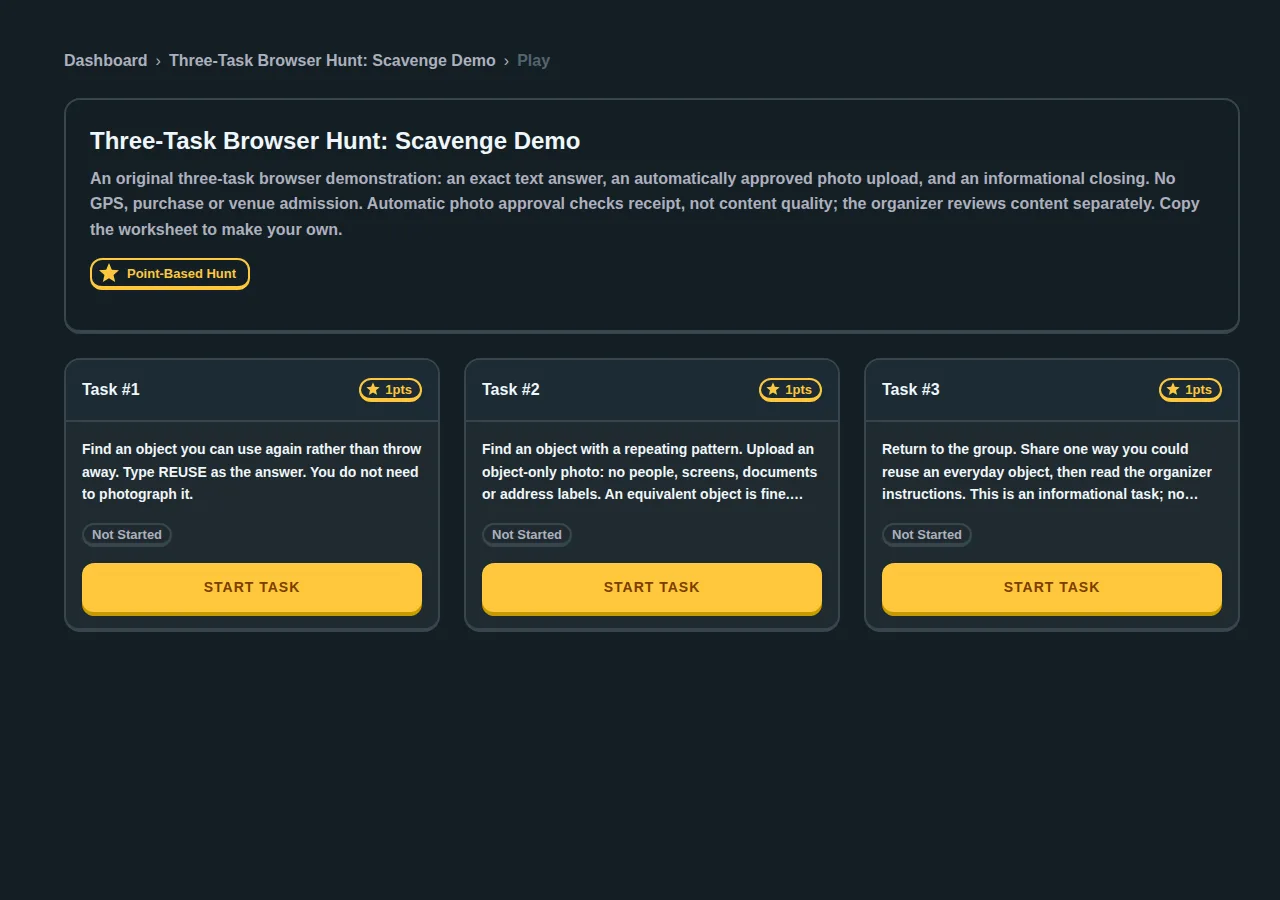
We created these tasks through the live guest builder, joined in a separate browser, checked the exact text answer, uploaded a local test image and completed the informational task. The scored guest sample uses automatic photo approval: receipt awards a point without assessing image content. A guest creator could not open the account submission queue. This is a small internal workflow test, not a group capacity or real-world event trial. Test your own devices and intended moderation rules before rollout.
More guidance: free office team-building plan and virtual platform choices.