Scavenge.rs: Transforming Scavenger Hunts into Digital Experiences
See Scavenge’s owned browser demonstrations: a three-task guest hunt and signed-in photo approval. Understand the evidence and rehearse your event.
Scavenge.rs lets organizers create scavenger hunts and participants play in a connected browser. This article records the small product workflows we checked ourselves, so you can see what the examples demonstrate and decide what to rehearse for your own event.
For current access and cost decisions, start with the main product guide. This is our first-party product demonstration record, published by Scavenge.rs. It is not an independent review or a customer case study.
Our three-task guest-browser demonstration
On 8 October 2026, we entered a private practice hunt through the live guest builder. It contained an exact text answer, a photo task and an informational finish. The text answer was REUSE, the photo prompt asked for a repeating pattern and the final instruction brought the activity to a close.
We opened the saved join route in a separate browser and completed the three tasks. For the scored guest photo sample, automatic approval was enabled. That granted points on receipt; a host discussion of whether the photo met the prompt remained separate.
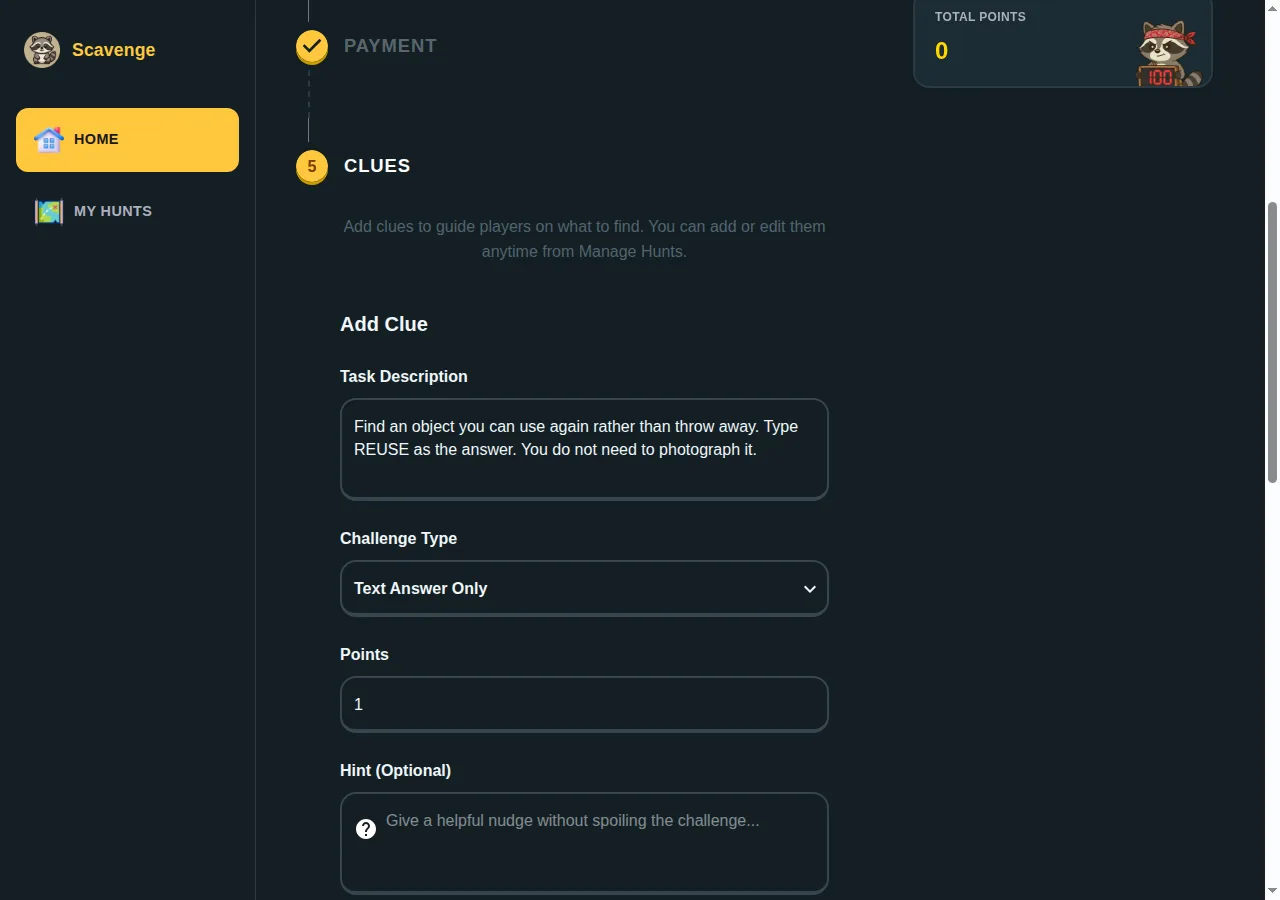
The three-task worksheet gives the settings you can enter manually. It is a copyable activity, not a one-click import. The main creation tutorial explains the editor steps.
Our account photo-review demonstration
On 10 October, we used separate ordinary signed-in organizer and participant test accounts, a private test hunt and automatic photo approval off. The participant uploaded a synthetic object-only image using the photo control. The organizer opened the saved hunt’s Answers tab and selected Approve Photo. The submission changed from zero to ten approved points, and the saved result was checked afterward.
We also submitted a photo from a fresh guest browser with approval off. Its task was personally complete after upload, but approved points were zero and it did not appear in that organizer account’s pending review queue. An organizer account alone therefore does not give anonymous submissions that manual account-review path.
| Question | Observed result | How to use that evidence |
|---|---|---|
| Can the guest sample reach a finish? | The separate browser submitted the text, photo and informational tasks and completed the small sample. | Copy the settings, then rehearse your own saved link and tasks. |
| Does an uploaded guest photo mean manual approval? | With approval off, personal completion and zero approved points coexisted; the photo was absent from the account queue. | Choose the guest receipt arrangement or the tested signed-in review arrangement before using points for prizes. |
| Can a signed-in participant’s photo be approved? | The separate organizer account approved the submission and ten points persisted. | Test that same participant/account setup and your actual approval settings. |
What to test for your event
The demonstrations used a small number of owned test actors and synthetic images. They establish those browser flows, not a signup journey, phone-camera quality, a group-capacity limit or a measured customer outcome. A successful test at one scale or on one device does not establish every arrangement.
If your activity needs GPS or QR tasks, rehearse those at the actual place with the intended phone and permissions. A task location check is different from continuous player tracking. If your event depends on a particular reporting, branding or support arrangement, inspect that exact need before committing.
Repeat the useful checks before inviting people
- Choose one representative task of each type your event needs.
- Save the hunt and open the actual participant link in a separate browser.
- Submit an answer or image and check the saved result.
- Check personal completion, approved points and content review as separate questions.
- Complete the finish and record any issue before inviting the group.
Use the printable pilot checklist for the release decision. Keep the creator browser’s storage for guest ownership or establish optional account access. Private visibility keeps a hunt out of public discovery; it is not password protection. The connected browser flow needs internet access, so keep an agreed paper or spoken fallback.
Basic creation and selected free hunts are separate from paid catalogue admission and personalized Date Hunt. The task-feature guide helps select mechanics, and the phone browser guide helps participants join and submit. Create a small practice hunt and base your event decision on the flow your players will actually use.